
Call Detail Records Search

Direction
When searching for a call, you can select the appropriate direction from the dropdown menu:
- Inbound – Use this option to find calls that were received.
- Outbound – Select this when looking for calls that were made from your system.
- Local – Choose this for calls made between internal extensions.
Status
Answer – The call was successfully connected, and the recipient answered.
No Answer – The call was not answered by the recipient before timing out or being disconnected.
Busy – The recipient’s line was engaged, preventing the call from connecting.
Missed – The call was not answered, and no alternative action (such as voicemail) was taken.
Voicemail – The call was directed to and successfully reached the recipient’s voicemail.
Canceled – The caller disconnected before the call was answered.
Failed – The call could not be completed due to an error, such as an invalid number or network issue.
Searching by Number
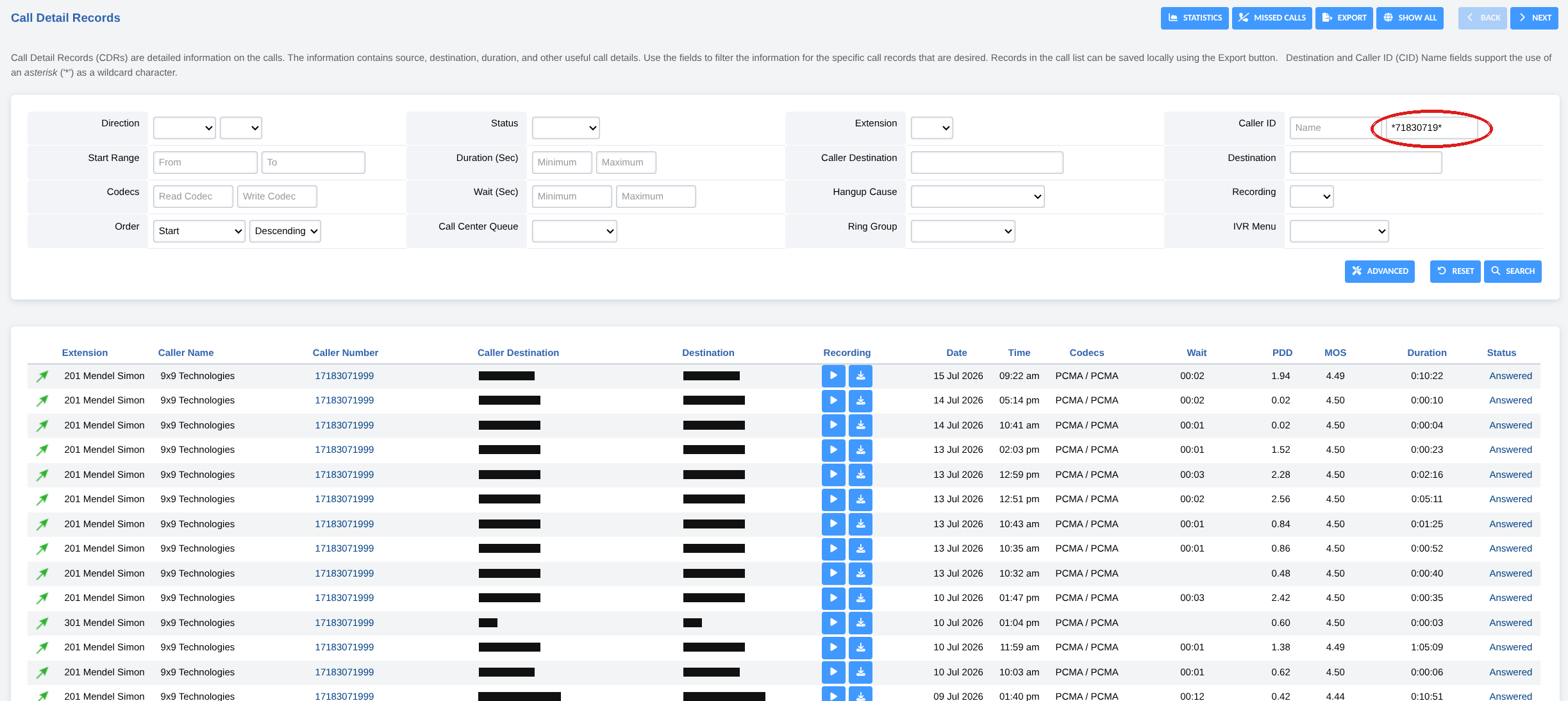
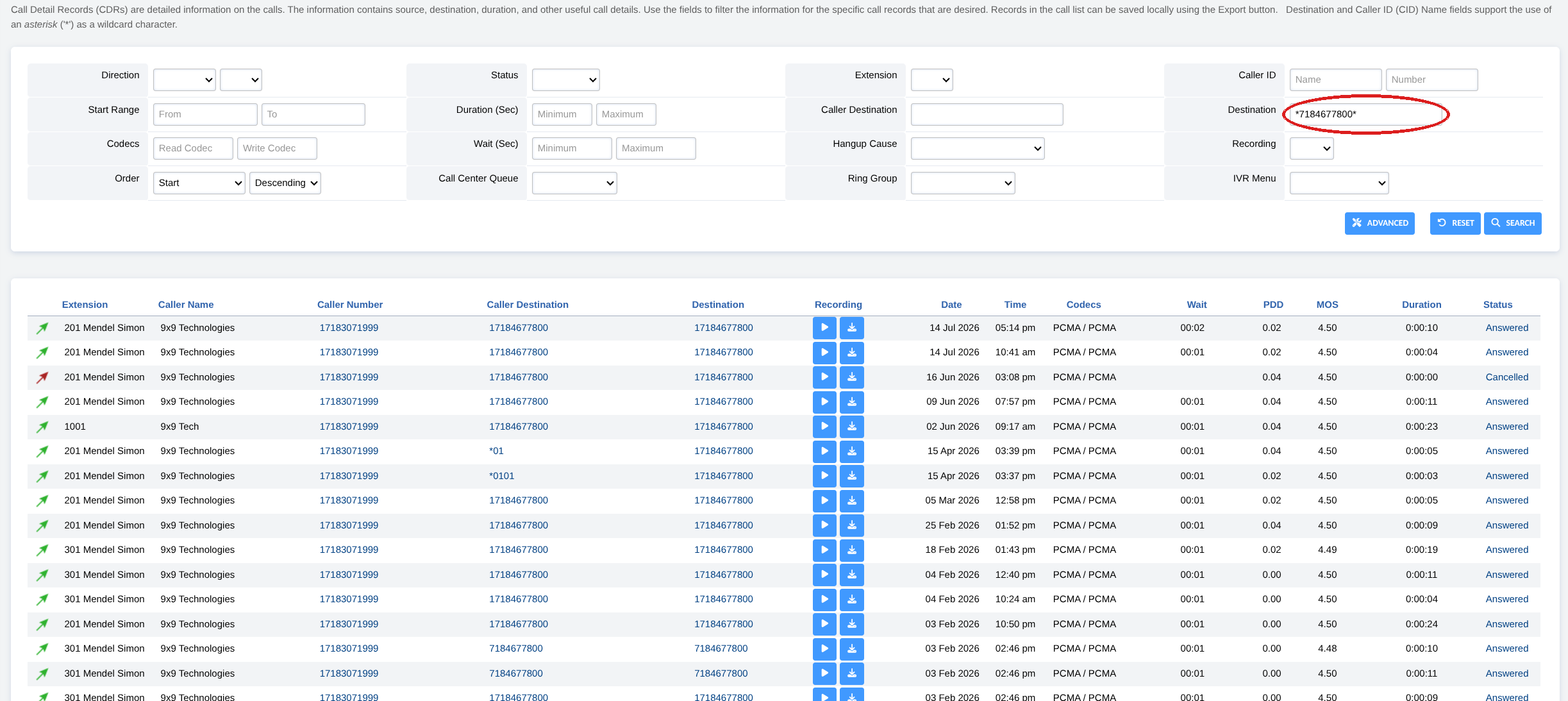
Call Detail Records
Searching for a call by phone number
The filter fields at the top of the CDR page narrow the call list to the records you want. When you search by phone number, one habit makes the difference between finding every matching call and finding nothing at all.
The one rule to remember
Put a star (*) where the country code goes
Numbers are stored with their country code, so searching 3071999 on its own returns nothing when every record is saved as 17183071999. Wrap the part you know in stars — *3071999* — and it matches the number whether a country code is present or not.
How the wildcard works
The asterisk (*) stands in for “any characters, including none.” Use it when you don’t know — or don’t want to type — the full number:
- Put a
*at the front, in place of the country code. - Put a
*at the end, in case anything follows the digits you’re searching for. - Type the part of the number you’re sure about in the middle.